
Best Sale


Breville BOV900BSS Smart Oven Air Fryer Pro and Convection Oven, Brushed Stainless Steel
- Regular price
- $1,199.85
- Sale price
- $1,199.85


LO4011 - Rhodium Brass Ring with No Stone
- Regular price
- $2.31
- Sale price
- $2.31


TK2942 - High polished (no plating) Stainless Steel Ring with No Stone
- Regular price
- $4.62
- Sale price
- $4.62


Sport Neckband Bluetooth Earphone Magnetic Wireless Headphones
- Regular price
- $16.89
- Sale price
- $16.89


Bluetooth i7s TWS Wireless earbuds for Iphone Huawei Samsung
- Regular price
- $16.38
- Sale price
- $16.38


Frida Baby Thermometer, 3-in-1 Infrared Thermometer for Ear, Forehead & Touchless, Fever Thermometer for Baby, Infants, Toddlers, Kids & Adults
- Regular price
- $80.97
- Sale price
- $80.97



Product sidebar
Categories
Best Sale
Breville BOV900BSS Smart Oven Air Fryer Pro and Convection Oven, Brushed Stainless Steel
- Regular price
- $1,199.85
- Sale price
- $1,199.85
LO4011 - Rhodium Brass Ring with No Stone
- Regular price
- $2.31
- Sale price
- $2.31
TK2942 - High polished (no plating) Stainless Steel Ring with No Stone
- Regular price
- $4.62
- Sale price
- $4.62
Sport Neckband Bluetooth Earphone Magnetic Wireless Headphones
- Regular price
- $16.89
- Sale price
- $16.89
Bluetooth i7s TWS Wireless earbuds for Iphone Huawei Samsung
- Regular price
- $16.38
- Sale price
- $16.38
Frida Baby Thermometer, 3-in-1 Infrared Thermometer for Ear, Forehead & Touchless, Fever Thermometer for Baby, Infants, Toddlers, Kids & Adults
- Regular price
- $80.97
- Sale price
- $80.97


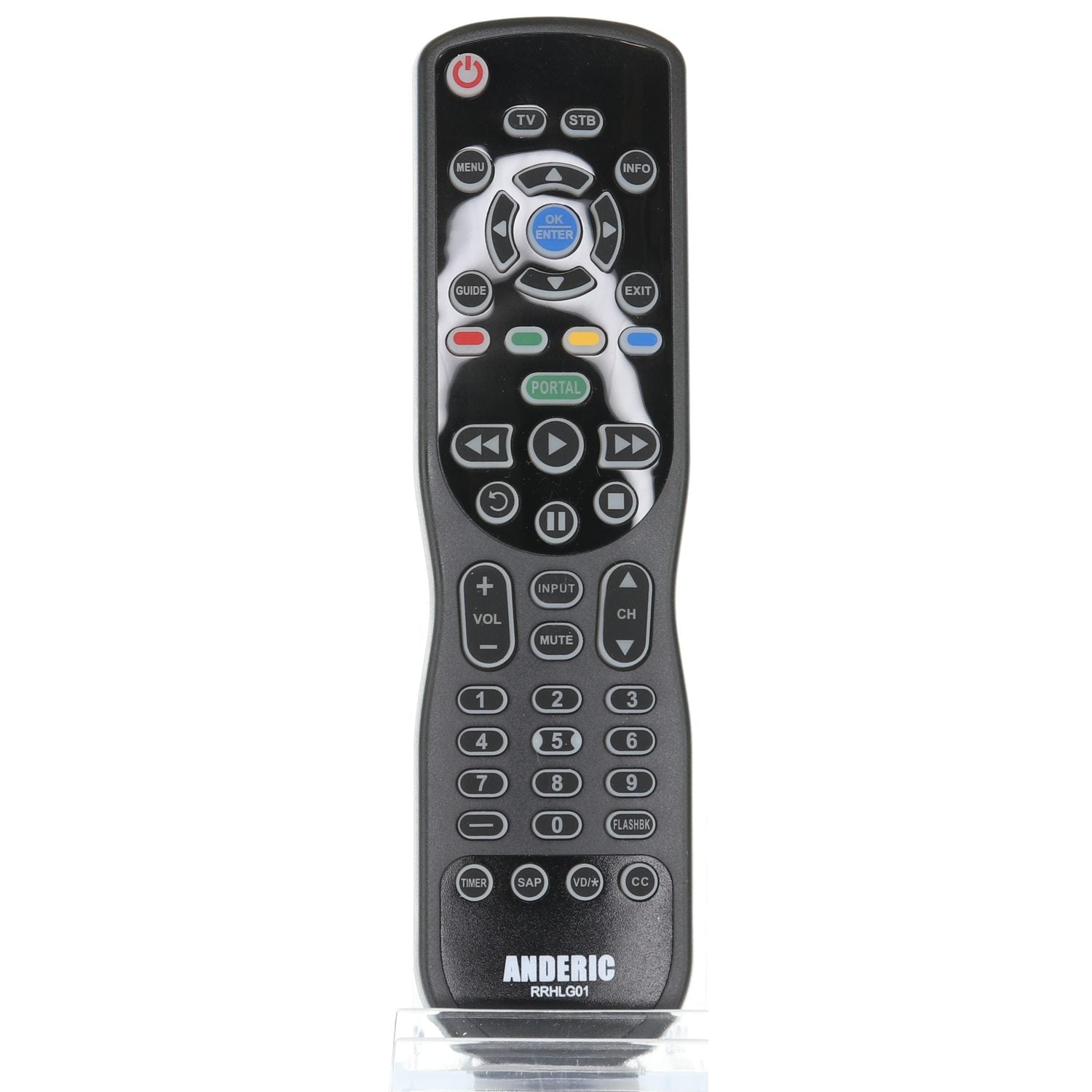
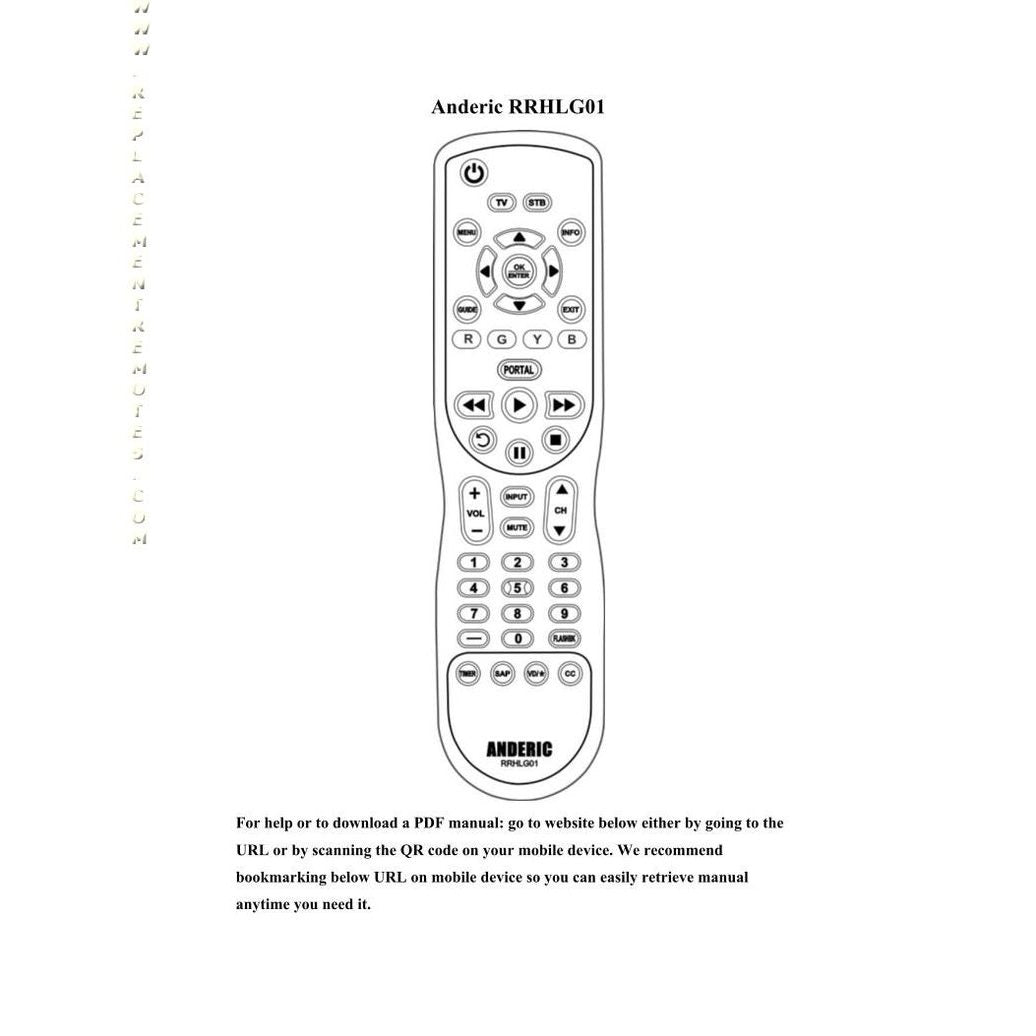
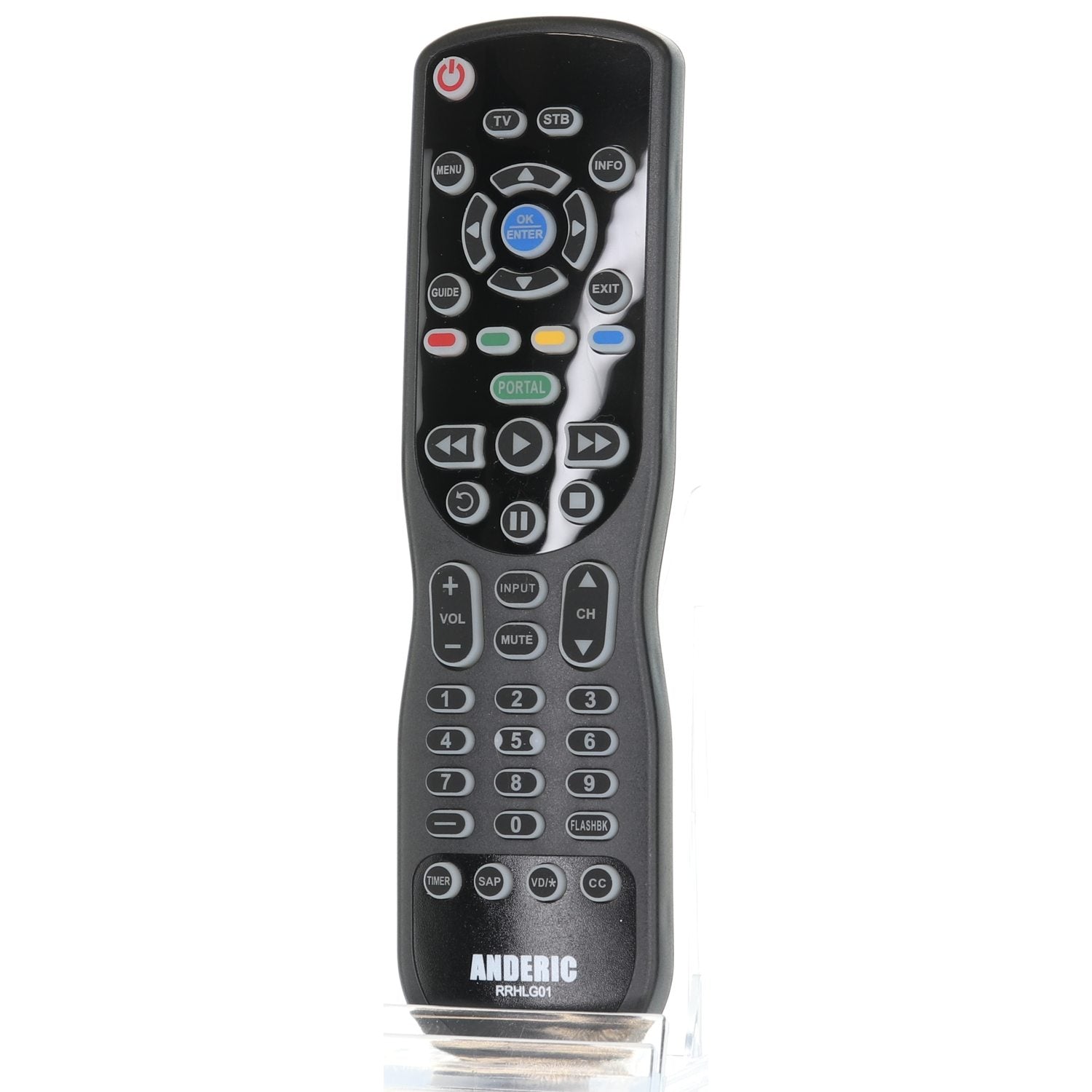
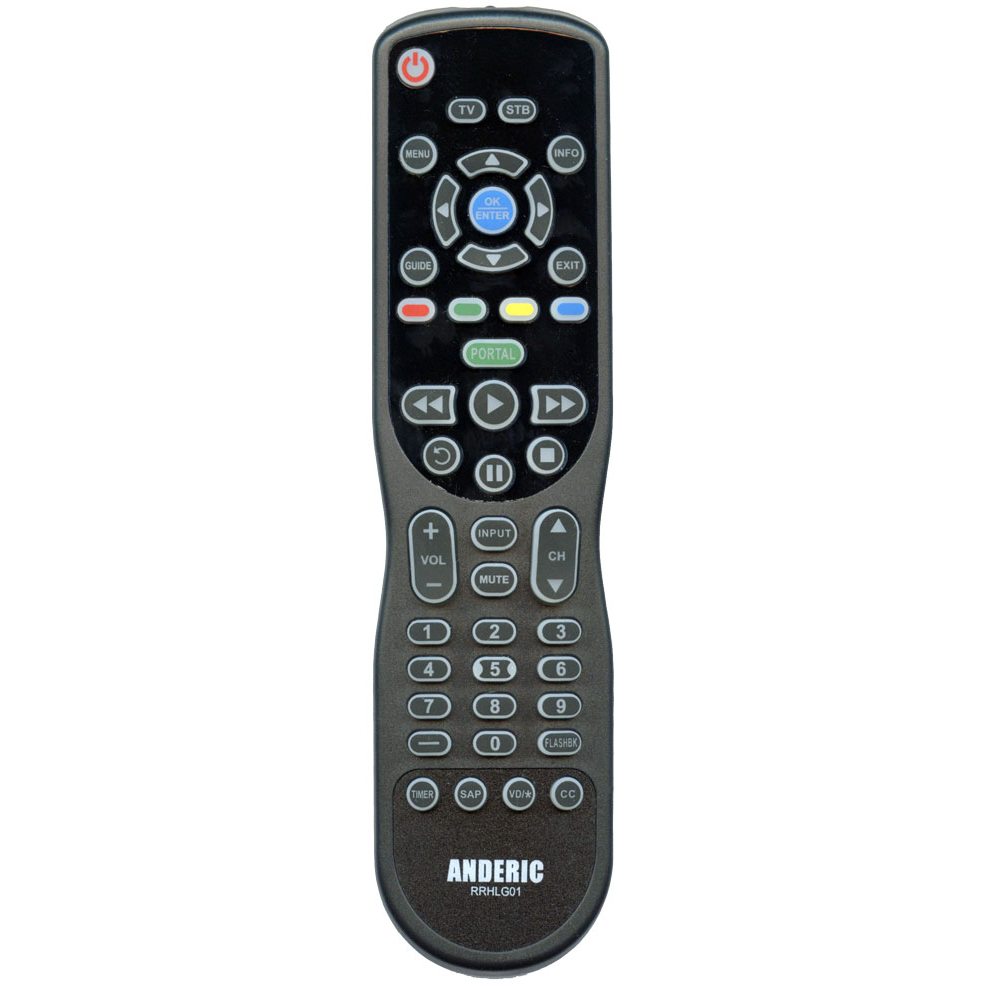
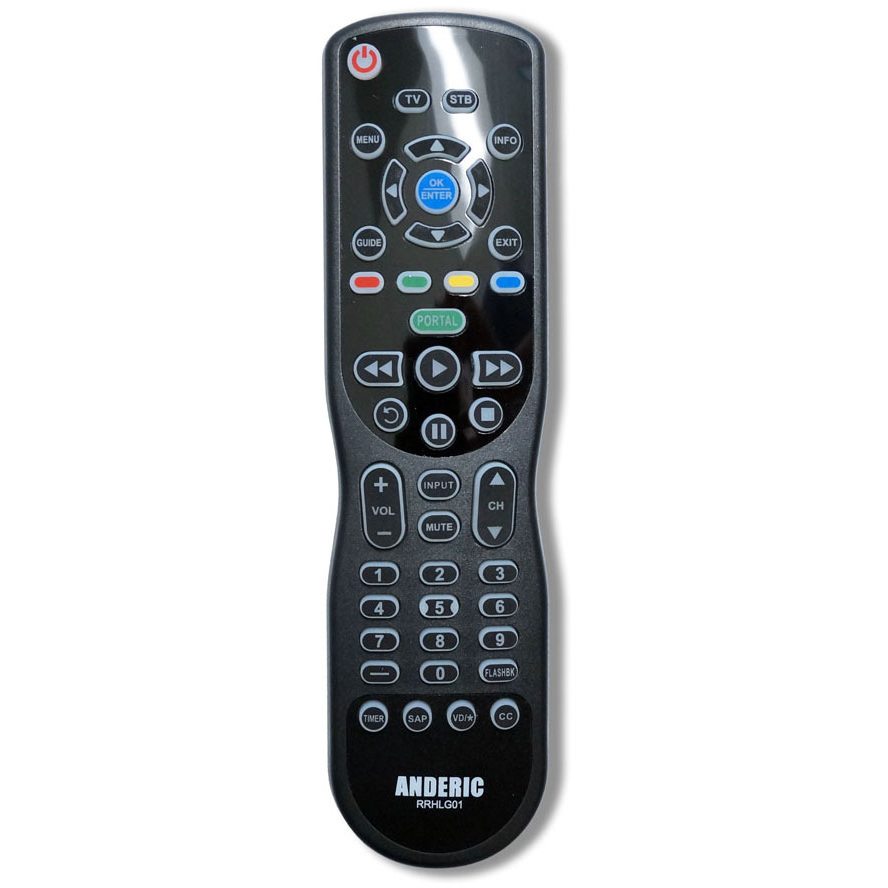
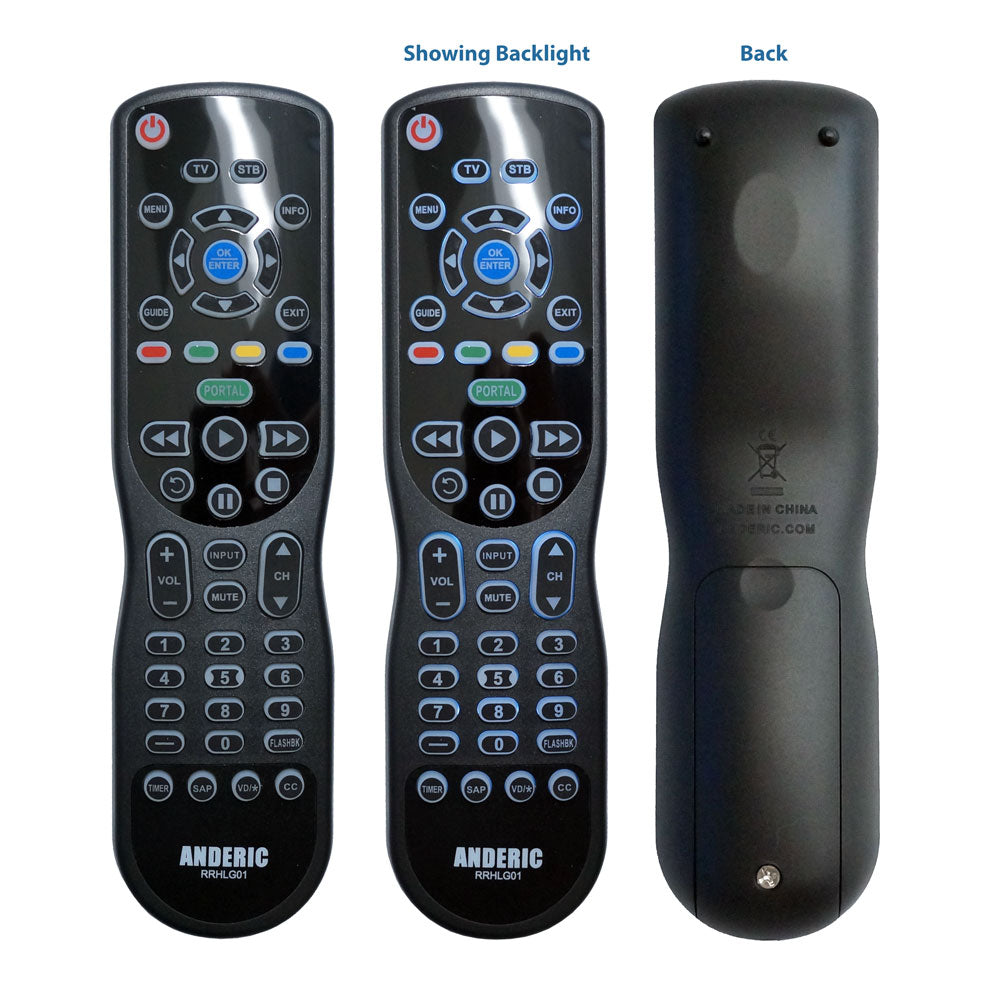
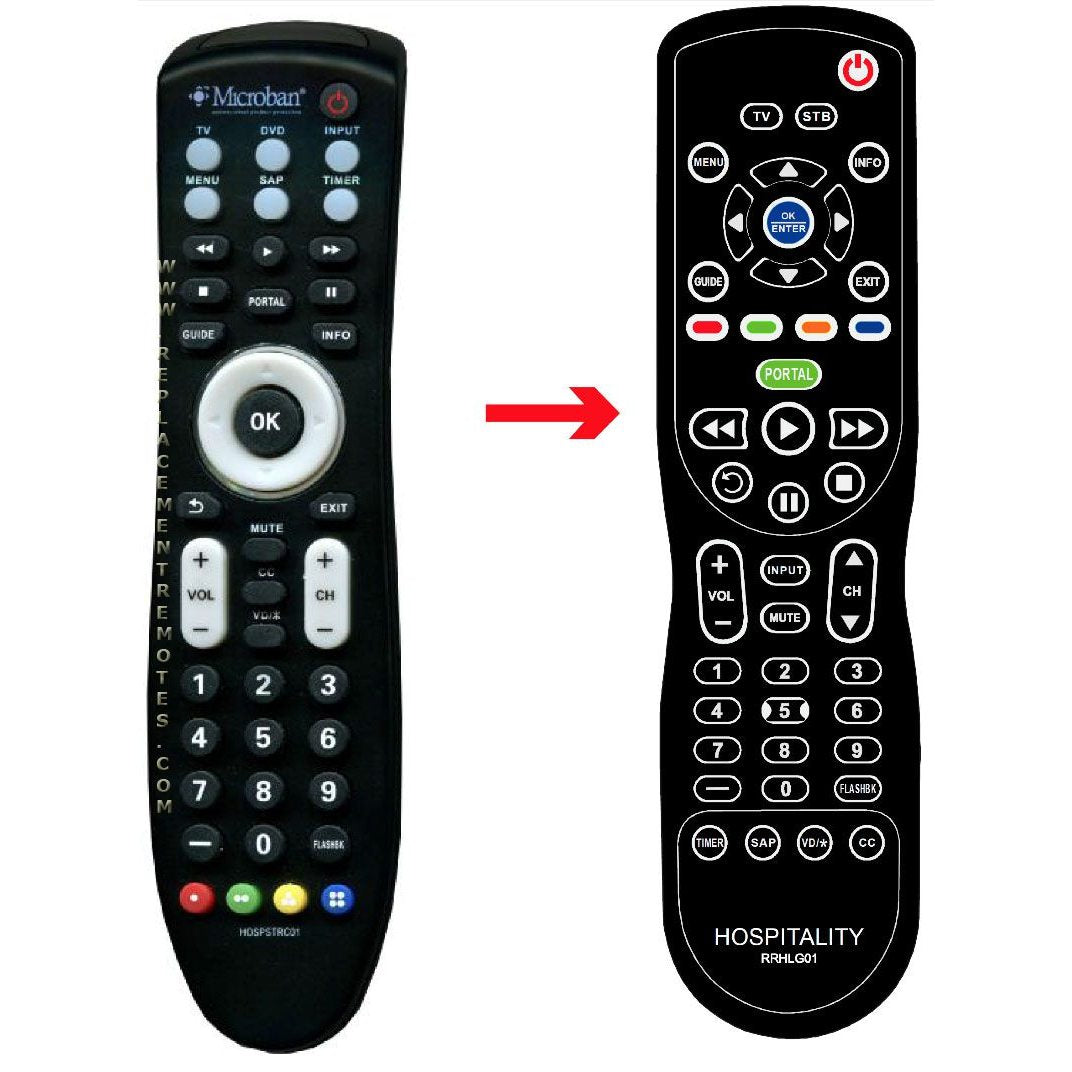
Anderic RRHLG01 Universal Hospitality 1-Device Remote Control Preprogrammed to LG
Couldn't load pickup availability
Details
- SKU: 90008-NEW
- Availability: Out stock
Description
The ANDERIC RRHLG01 remote was designed specifically to replace the many LG TV remotes. It works with the LG HD Commercial Interface STB-2000 Set-top Box and all LG TVs as well.
For commercial use: The Anderic RRHLG01 has the ability to easily program the BED number to match the TV in a multi-TV room so to not interfere with other TVs in the same room. This remote can be used as a 2-device remote or a 1-Device remote. This remote is programmed from the factory to BED code 0 (universal bed code).
Specifications:
? Works all LG TVS. No programming needed. Simply install batteries and BOOM, it will work! Guaranteed.
? Also, 100% Replaces the HOSPSTRC01 Microban Remote used for commercial TVs and STB-2000 STB.
? Has 10-bed codes. Code 0 being set as default. Can program up to 9 additional beds using codes 1 thru 9.
? Has the ability to program to any brand TV using code book.
? Has the ability to act as a 1-Device remote or a 2-Device remote.
? Large easy to read buttons.
? Full BACK-LIGHTING for all keys for easy viewing in dark.
? Comes with a screw for the battery cover.
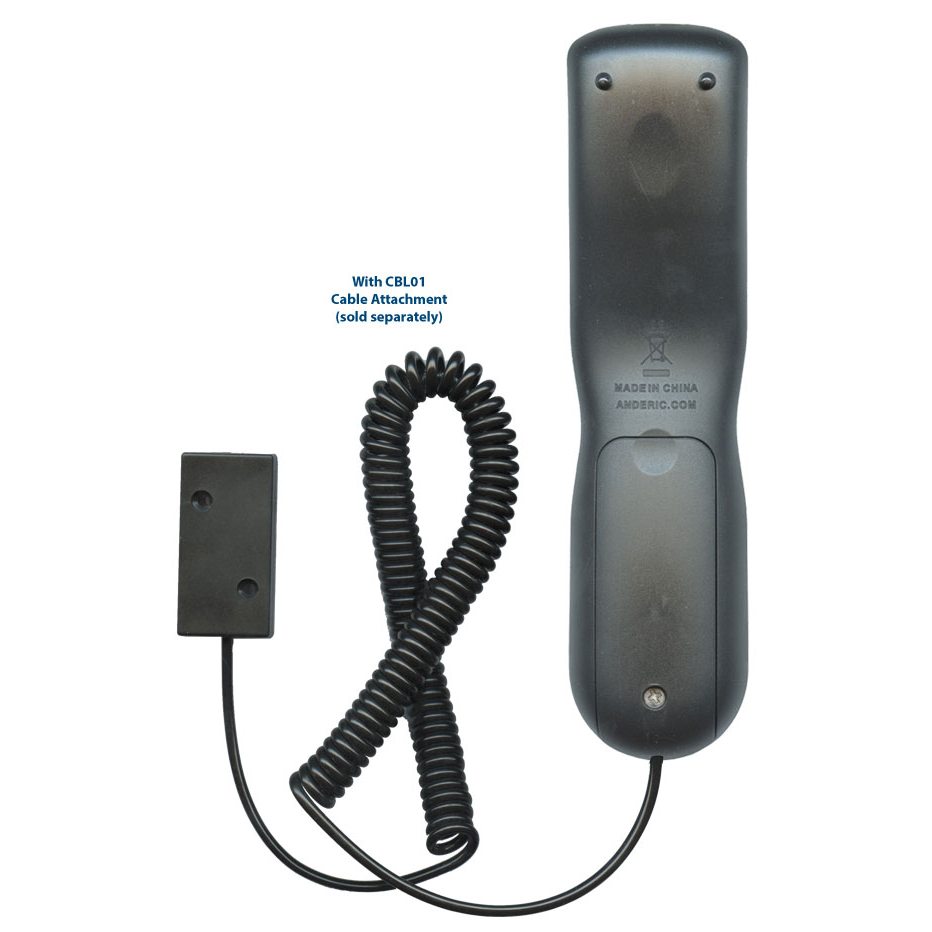
? Optional Security Cable attachment (sold separately) - Part number: CBL01
? Full manual included.
? Requires 2 AAA batteries (not included).
BED CODES ARE AS FOLLOWS:
2667 = BED 0 (default)
2668 = BED 1
2669 = BED 2
2670 = BED 3
2671 = BED 4
2672 = BED 5
2673 = BED 6
2674 = BED 7
2675 = BED 8
2676 = BED 9
BUTTON KEY INFORMATION:
Note: please check all buttons to make sure this remote has all buttons you need. Some notes about buttons are below.
? No [3D] key - 3D options are accessible through menus.
? No [ENERGY SAVING] key - Energy Saving can be accessed through menus.
? No [RATIO] key - All picture settings are accessed in menus.
? No [SIMPLINK] key - Use [INPUT] instead.
? No [Q.MENU] Key - Use [MENU] instead.
? No [HOME] key - Use [MENU] instead.
? No [FAV] key - This key is not usually used and is not supported.
? No [TV] key - Use [INPUT] instead.
? No NETCAST keys - Use [PORTAL] key.
Share